Real User Monitoring,
AI-Native.
Session replay, Core Web Vitals, and AI-powered issue triage
Unified with your logs, metrics, and traces.
$ npm install @oodle-ai/rum
added 1 package
// app.ts
import { OodleRum } from '@oodle-ai/rum';
OodleRum.init({
instanceId: 'your-instance',
apiKey: 'rum-api-key',
service: 'my-frontend',
sessionReplay: true,
});
✨ RUM is live!
✅ Core Web Vitals
✅ Session Replay
✅ Error Tracking
✅ Frustration Detection
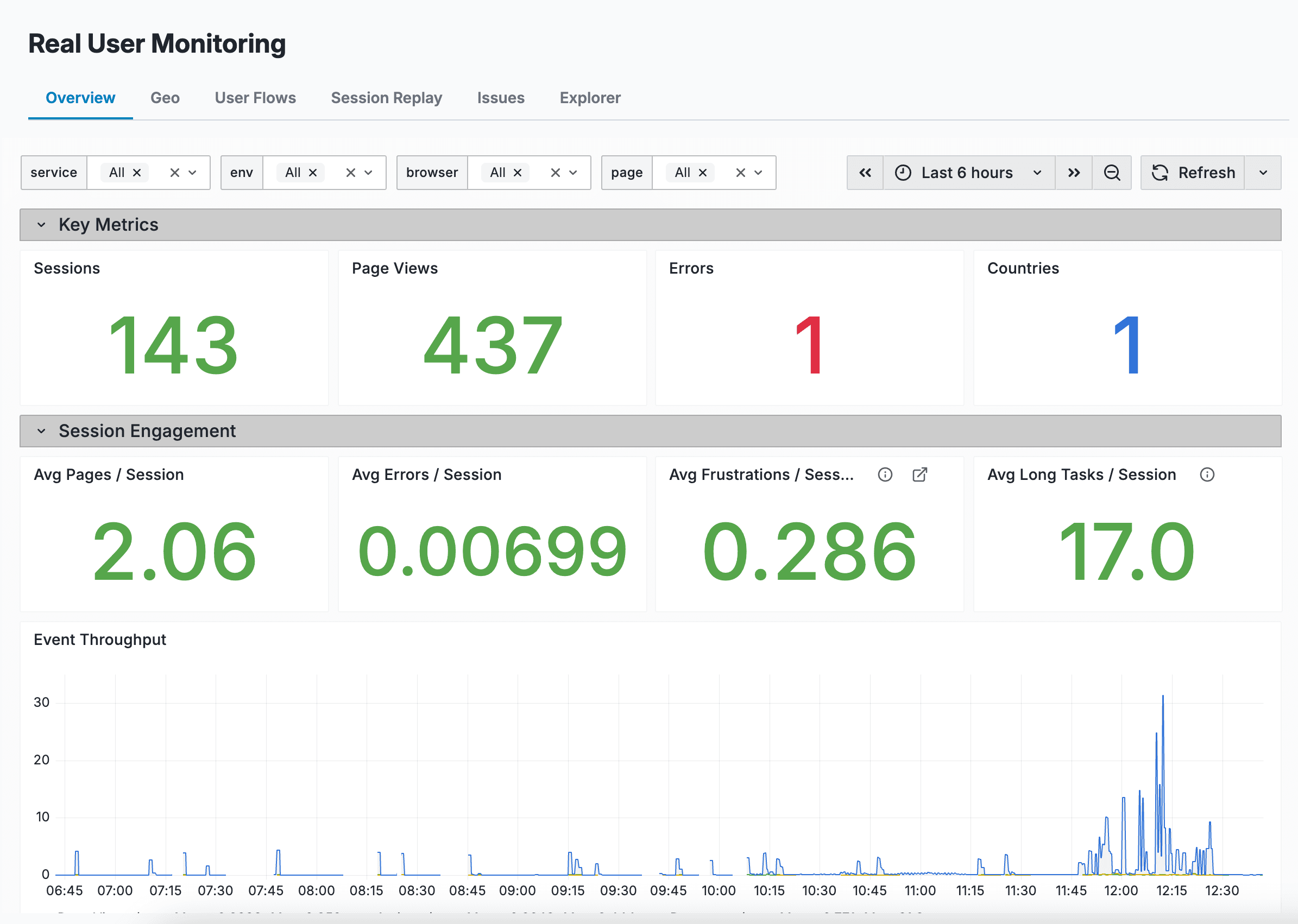
Key metrics at a glance - sessions, page views, errors, frustrations, and long tasks with real-time event throughput.
Debug in Plain English
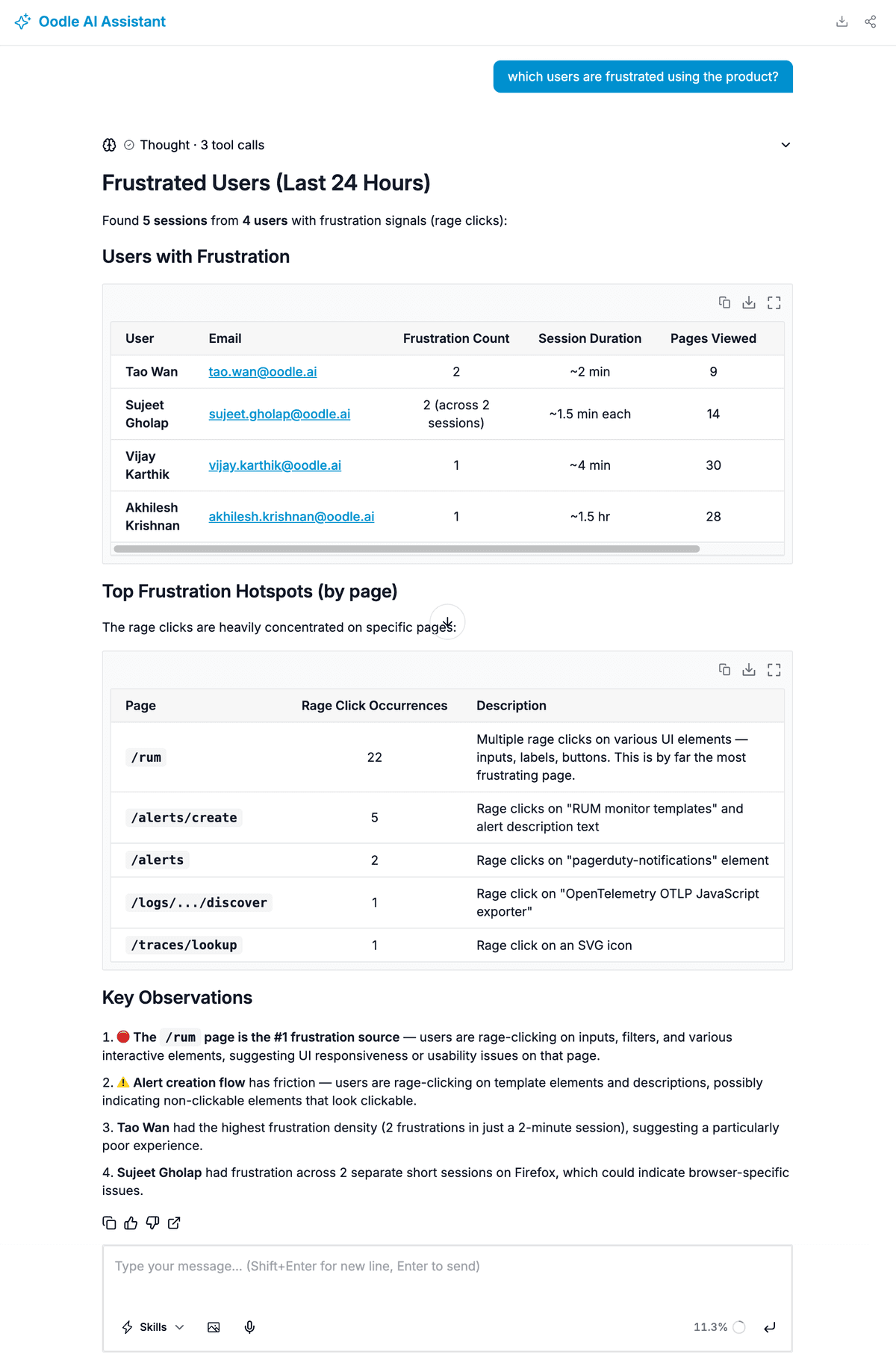
Stop guessing. Ask AI to find frustrated users, triage errors, and summarize sessions - in plain English.
Frustrated User Detection
Ask “Which users are frustrated?” and get a structured breakdown - who is frustrated, where the frustration hotspots are, and links to replay their sessions.
AI returns:
- Users with frustration signals and their session details
- Top frustration hotspots by page
- Rage click targets (buttons, inputs, labels)
- Direct links to replay frustrated sessions
AI Issue Analysis
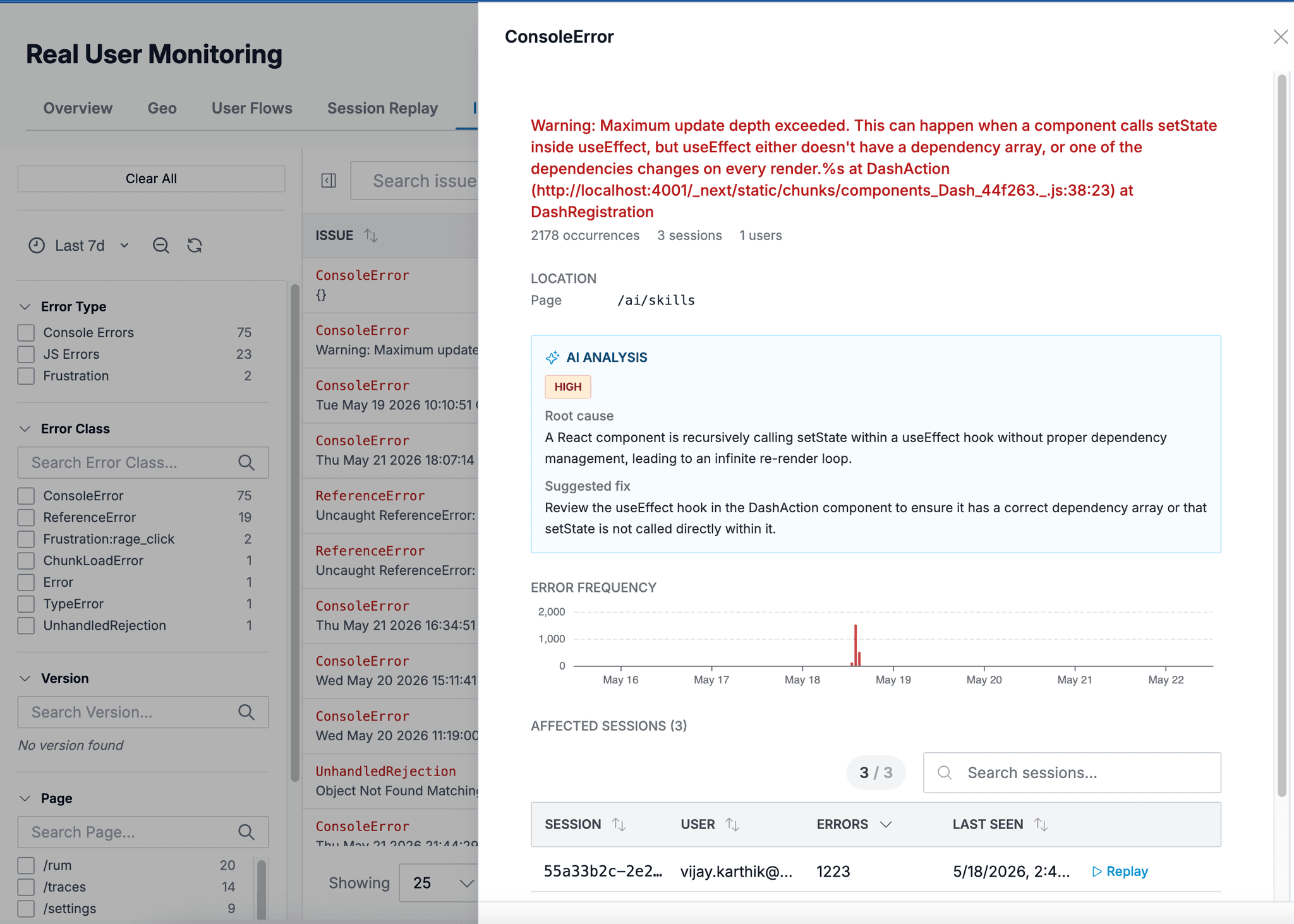
Every JavaScript error and frustration signal is automatically triaged by AI. Get severity, root cause, and a suggested fix - without writing a single query.
AI also powers:
- Session summaries - 1-sentence description of each session
- Natural language queries across all RUM data
- Automatic correlation with backend logs and traces
Find and Fix Issues Before Users Complain
Automatically surface errors, frustrations, and performance regressions - with AI that tells you the root cause and how to fix it.
- AI triages every JavaScript error - severity, root cause, suggested fix, affected sessions.
- Rage clicks and dead clicks are detected automatically and never sampled away.
- Upload source maps for deobfuscated stack traces down to the exact line of code.
- Create Jira tickets or Slack alerts directly from any issue.
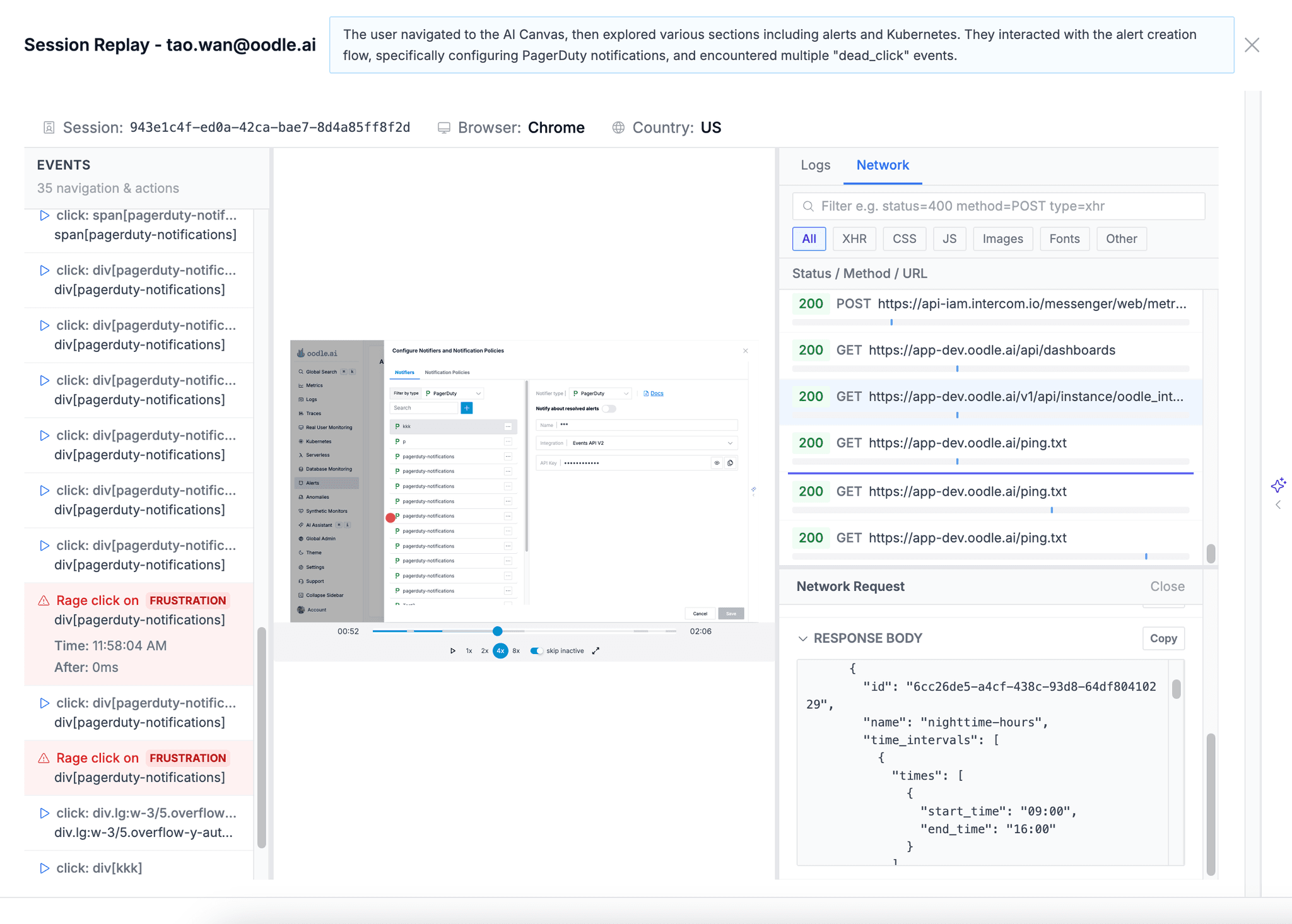
Replay Any Session, Debug in Context
Pixel-perfect session recordings with every click, error, and network request in a synchronized timeline. No guesswork.
- Session Replay captures exactly what the user saw and did, powered by rrweb.
- Synchronized event timeline with errors, actions, console logs, and frustration markers.
- Built-in network waterfall with request/response headers and bodies.
- AI-generated session summaries so you can triage without watching the full replay.
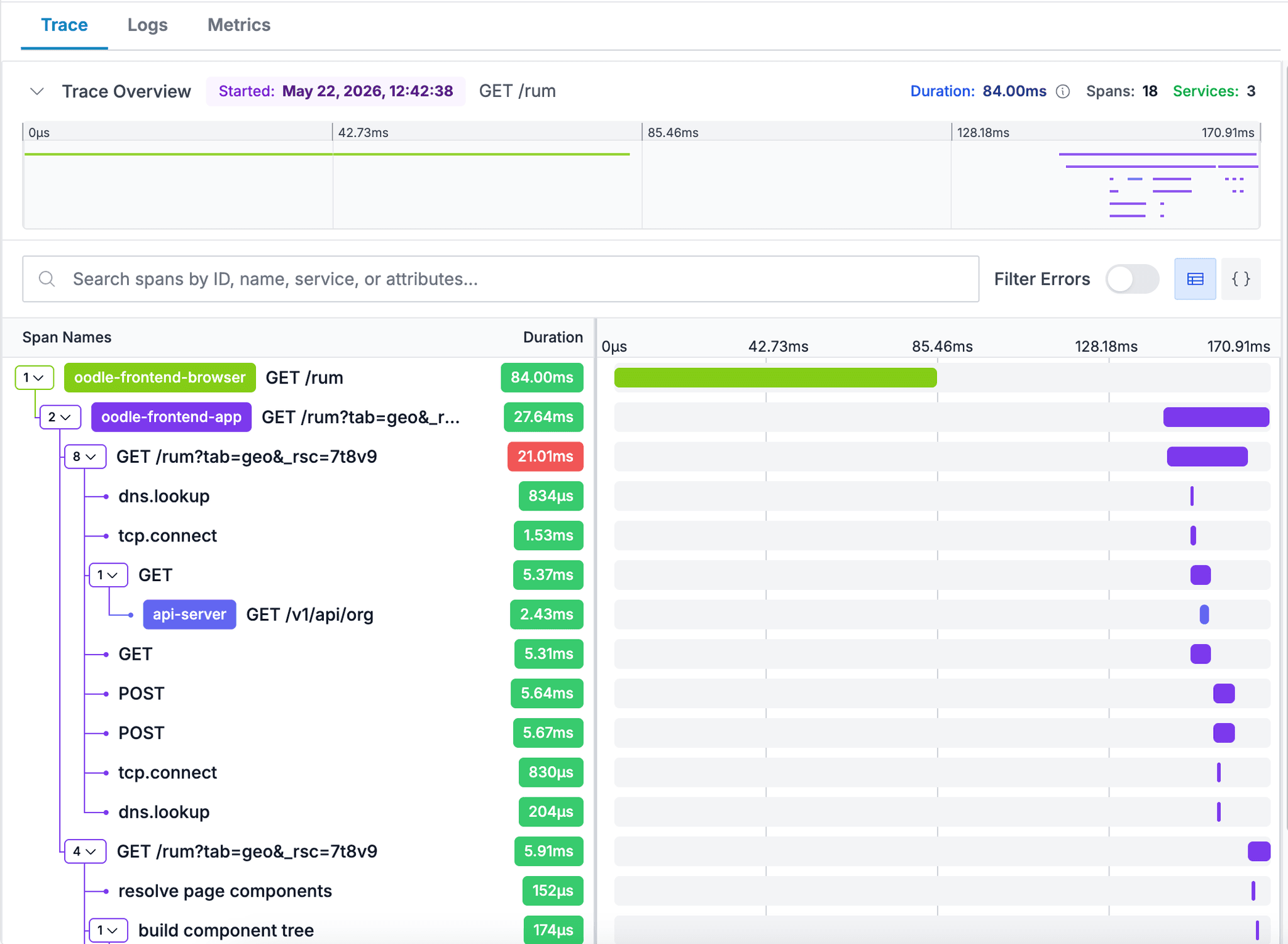
Connect Frontend Experience to Backend Performance
One trace from browser click to API response. No more blaming the frontend when it's a backend problem - or vice versa.
- The SDK injects traceparent headers so browser requests connect to backend traces automatically.
- See the full span waterfall from browser → app server → database in one view.
- Correlate slow page loads with specific backend bottlenecks.
- Unified with your logs, metrics, and traces - all in one platform.
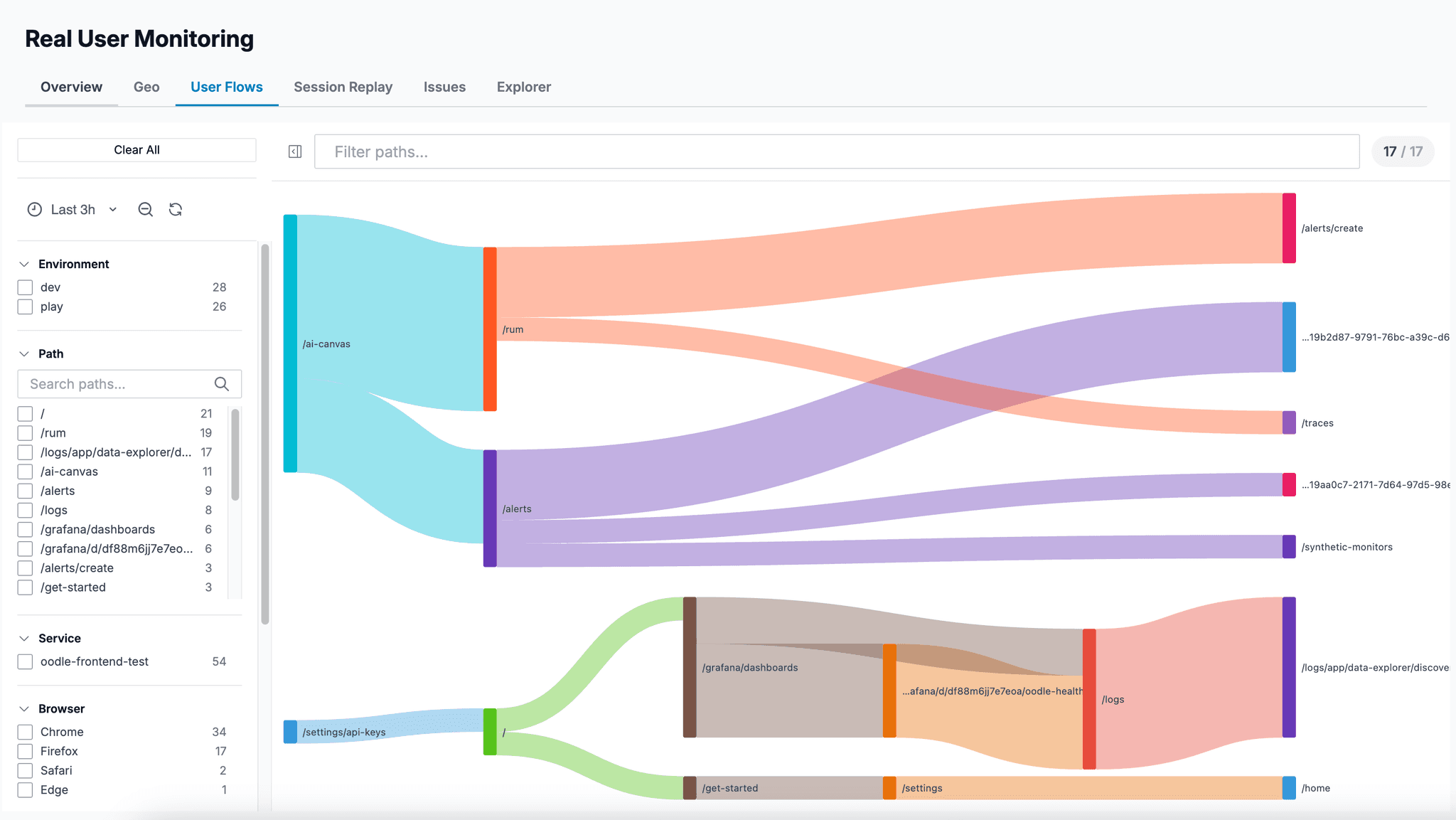
Understand How Users Navigate Your App
Go beyond page views. See the actual paths users take, where they drop off, and how performance varies by country.
- User Flows show page-to-page navigation as Sankey diagrams - spot drop-offs and unexpected paths.
- Geo Performance maps show Core Web Vitals (LCP, FCP, TTFB) by country with Google-standard ratings.
- Track custom events, feature flags, and user identification for business-level insights.
- Explorer lets you search and filter every event type - sessions, views, errors, actions, resources.
Why Oodle for RUM
Frontend monitoring that actually connects to everything else.
Up and Running in Minutes
One SDK. Three lines of code. Full visibility into your users' experience.
Install the SDK
npm install @oodle-ai/rum
Add the SDK to your React, Next.js, Vue, or any web app.
Initialize with API Key
Create a RUM API key (client-safe, write-only) and call OodleRum.init().
Session replay, Web Vitals, and error tracking start automatically.
Watch & Investigate
Replay sessions, triage errors with AI, and track Web Vitals - all correlated with your backend telemetry.
AI identifies frustrated users automatically.
Frequently Asked Questions
What is Real User Monitoring (RUM)?
How does the Oodle RUM SDK work?
@oodle-ai/rum to your frontend application. The SDK automatically captures page loads, Web Vitals, errors, user actions, and optionally records session replays using rrweb. A lightweight RUM API key (write-only, client-safe) authenticates the SDK.How does AI help with RUM?
What are frustration signals?
How does session replay privacy work?
data-oodle-privacy attributes or CSS classes for per-element control.Can I connect browser sessions to backend traces?
allowedTracingUrls and the SDK injects traceparent headers into matching requests. Your backend traces automatically link to the originating browser session, giving you full end-to-end visibility. See the RUM docs for setup details.